20+ New Productivity Tools in 2.0

Salestrekker 2.0 has been purpose-built to help brokers work smarter, not harder. Every feature has been designed to reduce double handling, remove friction, and speed up the journey from first conversation to lodgement and settlement.
Here are 20 productivity features we love in Salestrekker 2.0 — and why brokers are feeling the difference.
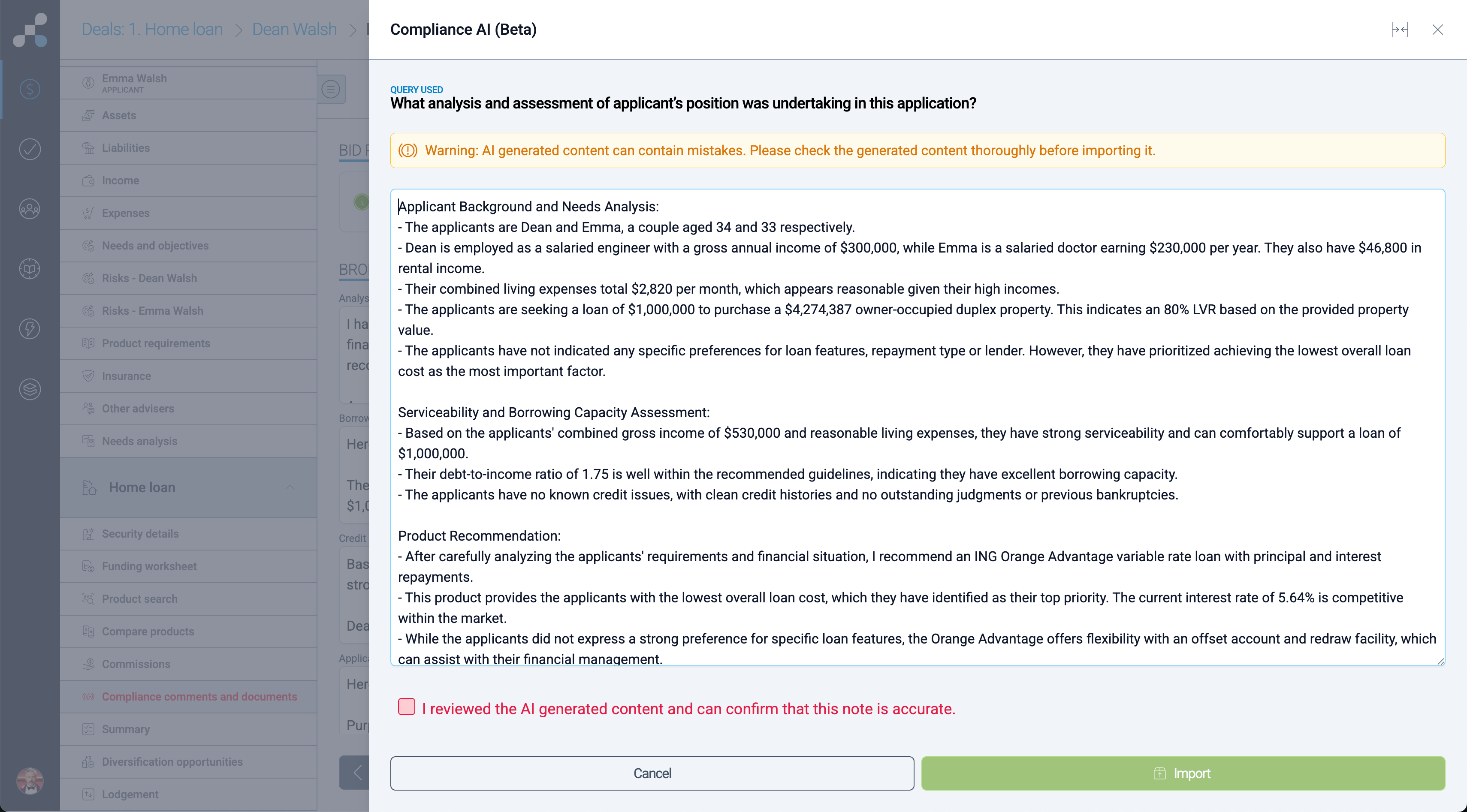
COMPLIANCE AI & NOTE TEMPLATES
There are a number of large descriptive fields in Salestrekker that typically take the longest time in the application processing. Compliance AI enables use of the latest AI agents to analyse deal and provide detailed compliance notes in seconds. Note template feature enables users to create some typical responses, add relevant merge keys to personalise these responses and add labels to make these templates appear only in fields that are relevant to the template.
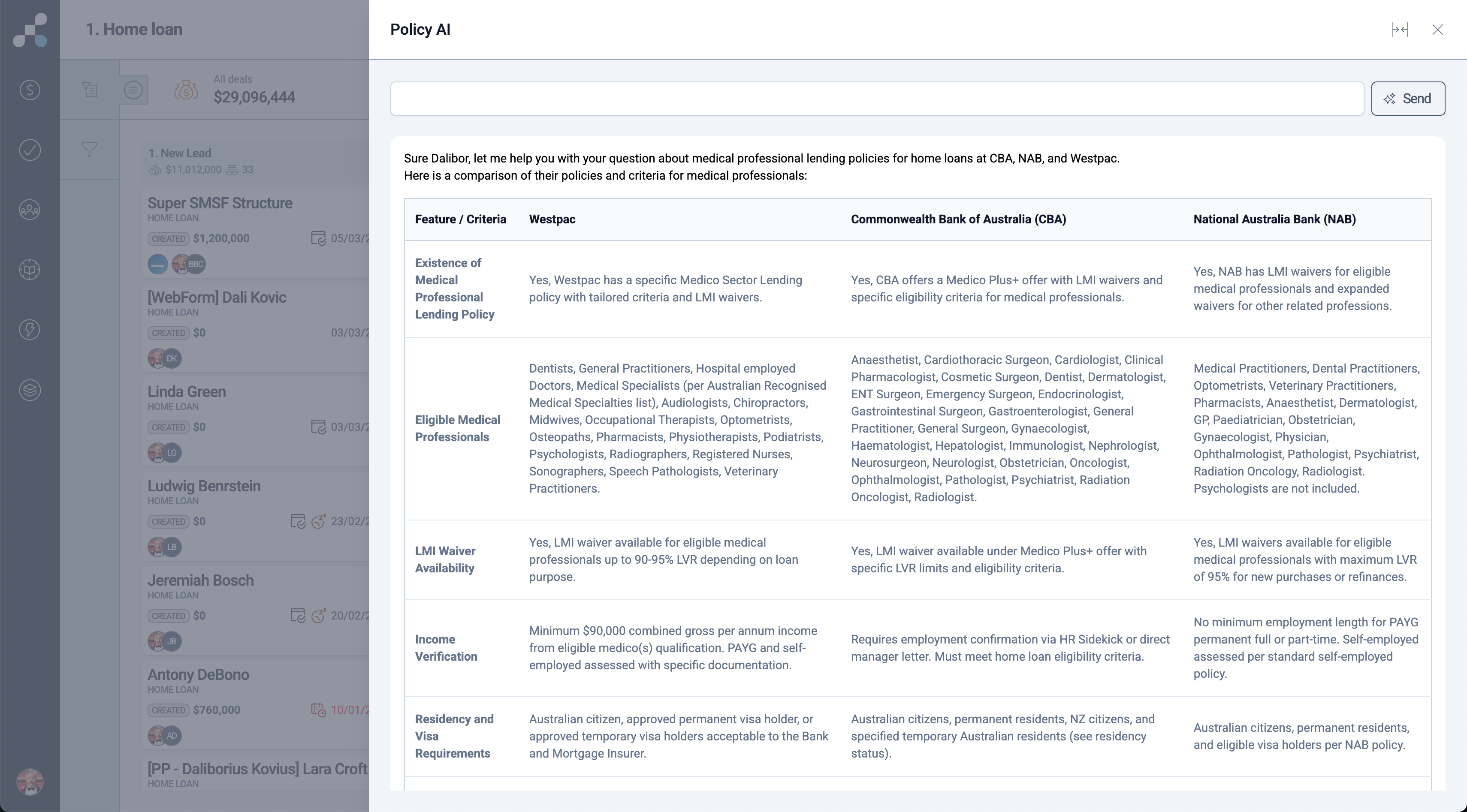
POLICY AI
A conversational policy discovery tool that helps you quickly explore lender policy scenarios without trawling through multiple policy documents. Designed to support faster, more confident lender selection.
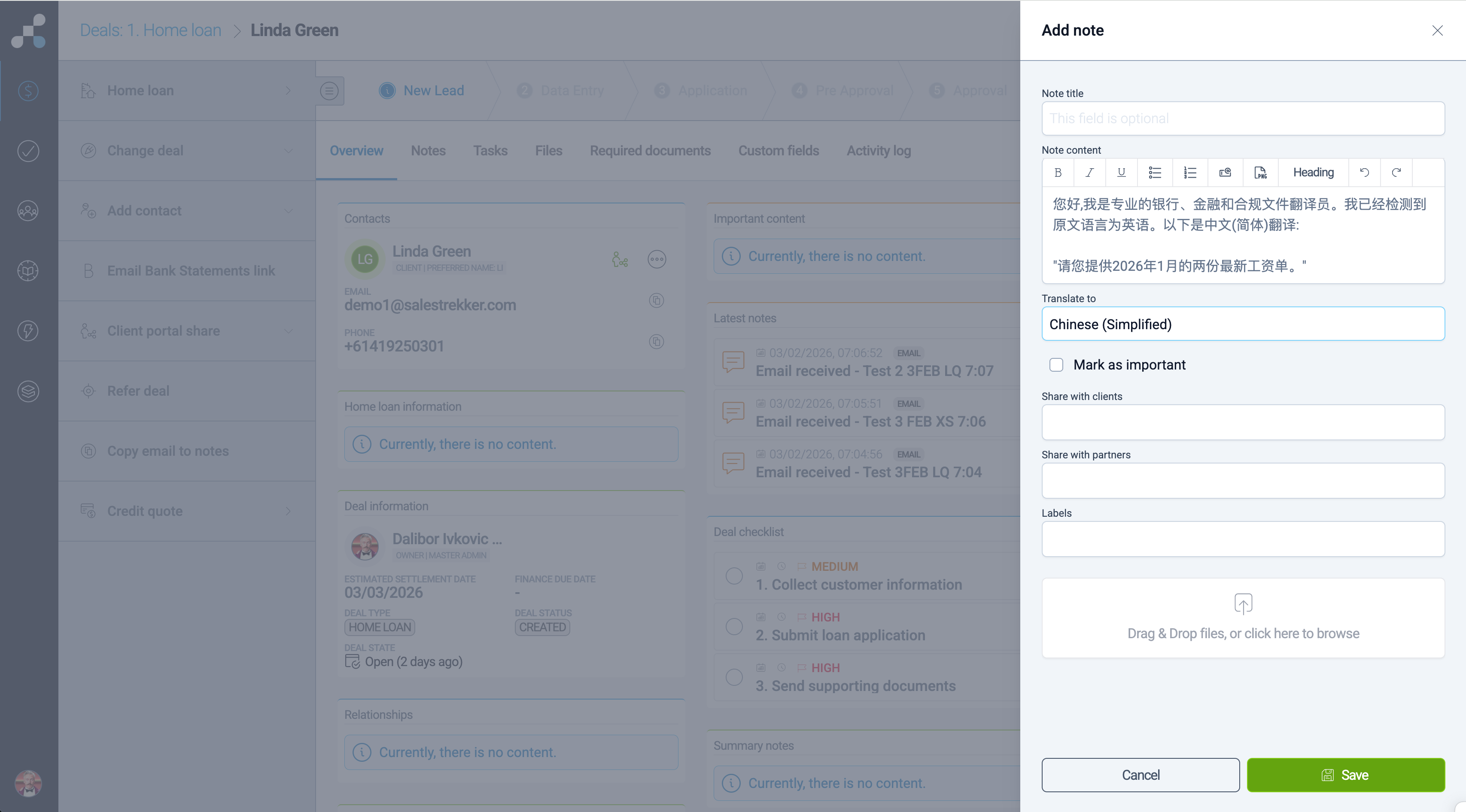
TRANSLATE AI
Translate client-provided content from other languages into English directly within deal notes, contact notes, and the Client Portal — helping brokers capture accurate information without copy-paste workarounds.
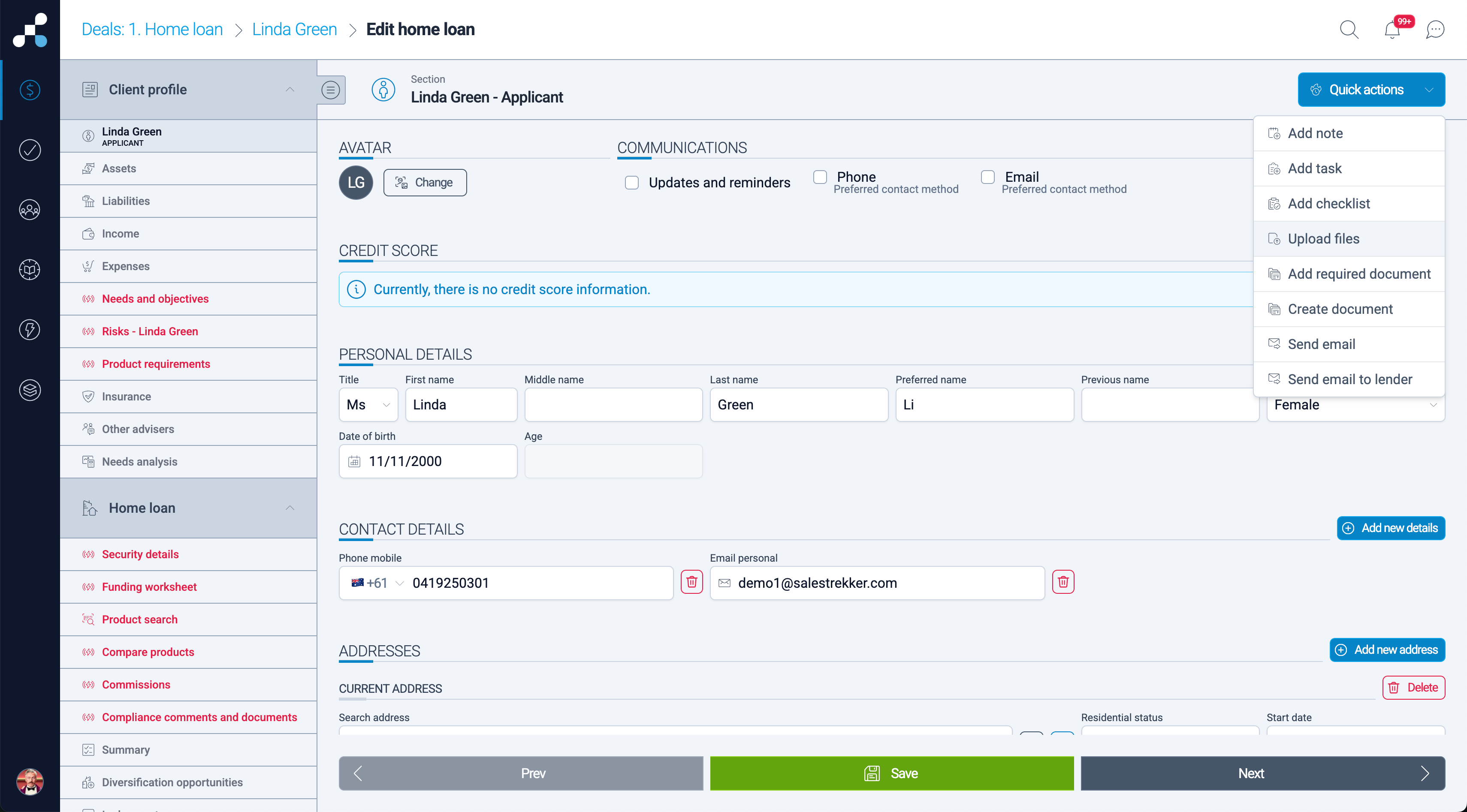
QUICK ACTION BUTTON
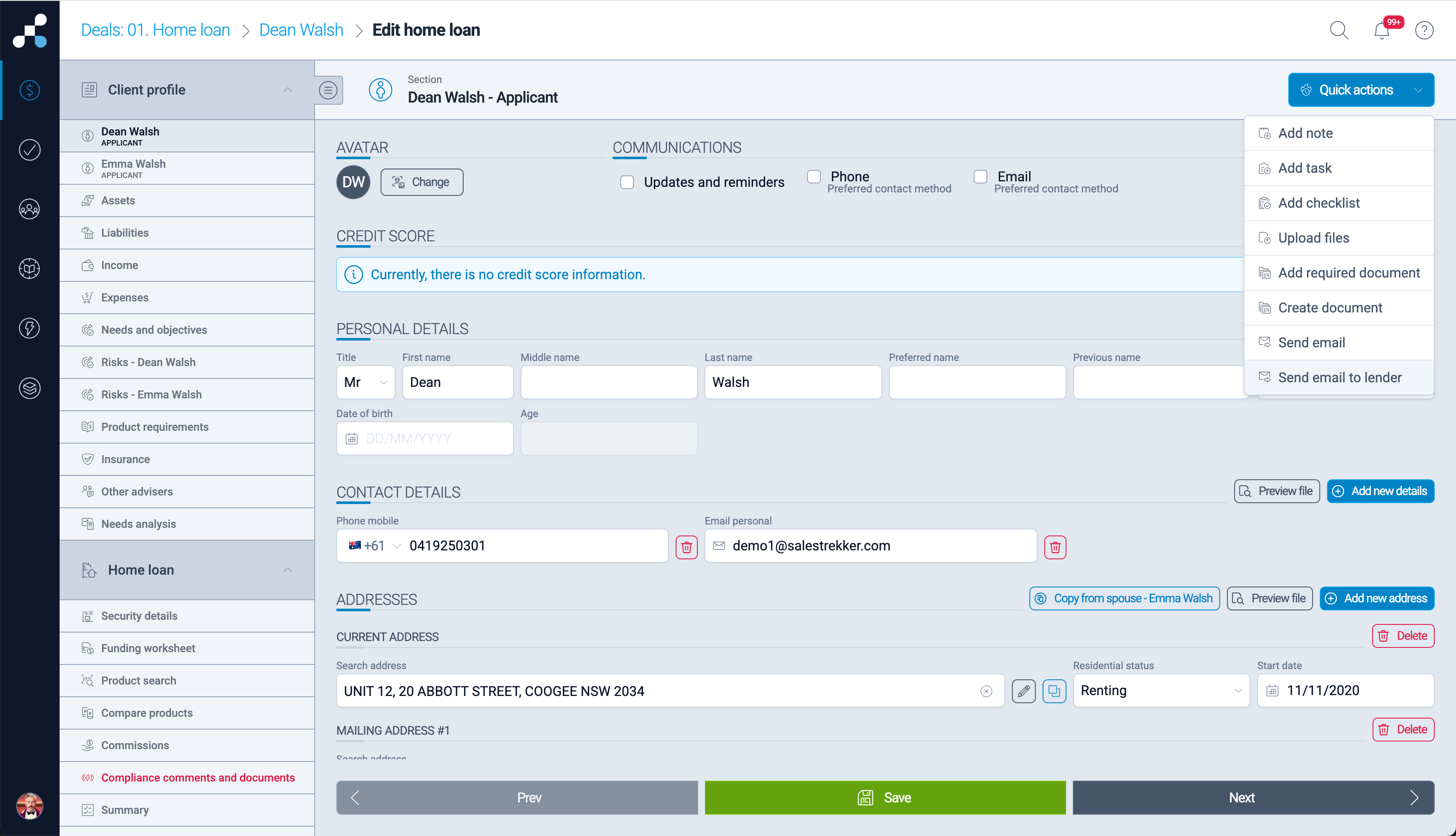
User often need to add a note, set up a task, upload a file or perform other actions while in the application form. To remove the need to exit these screens, we have added Quick Action button inside the application form screens.
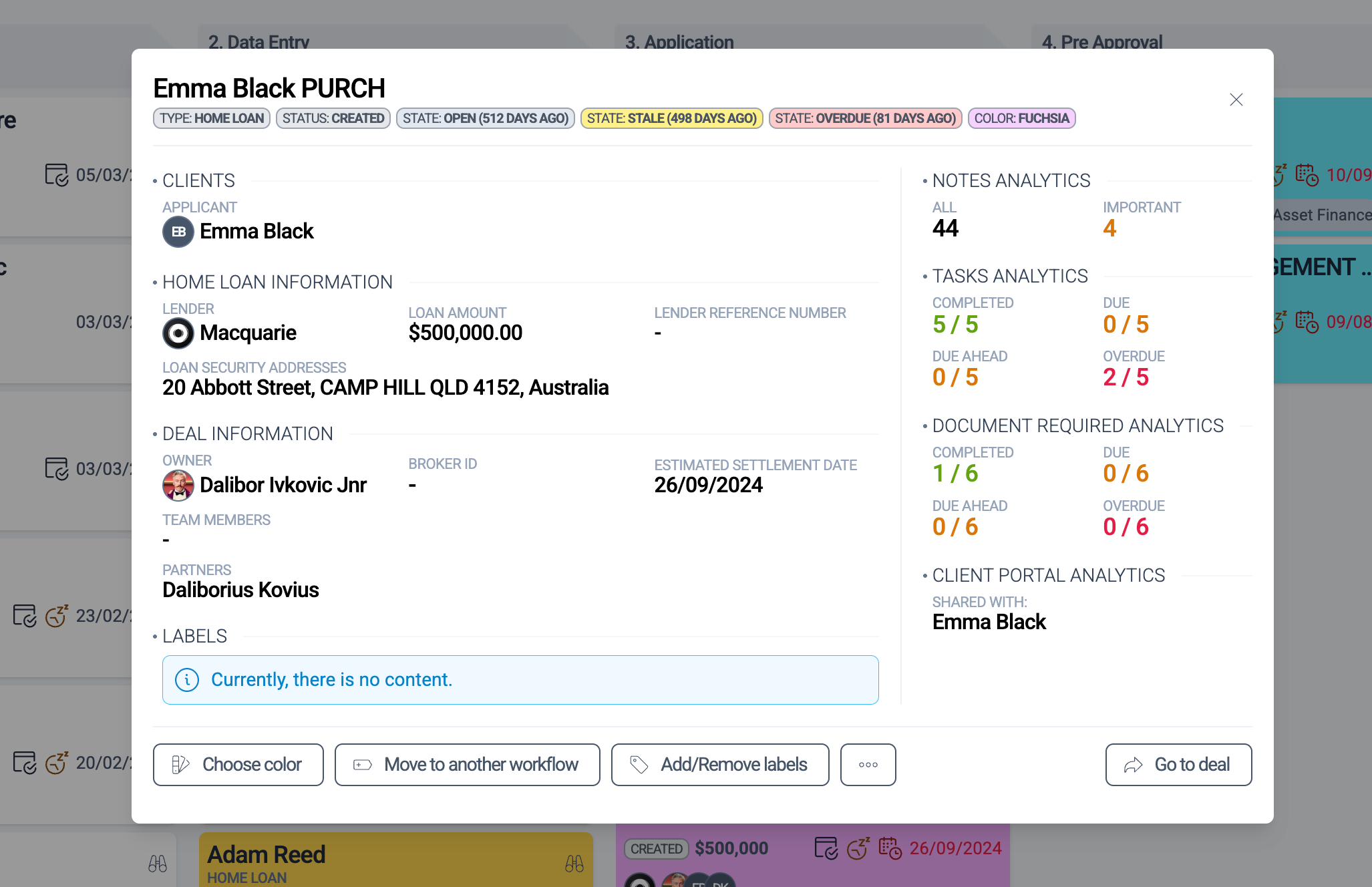
ENHANCED DEAL PREVIEW
See critical deal information in one place — including notes, tasks, partners, and team members — giving you instant visibility without opening multiple tabs. Edit deal name in preview screen.
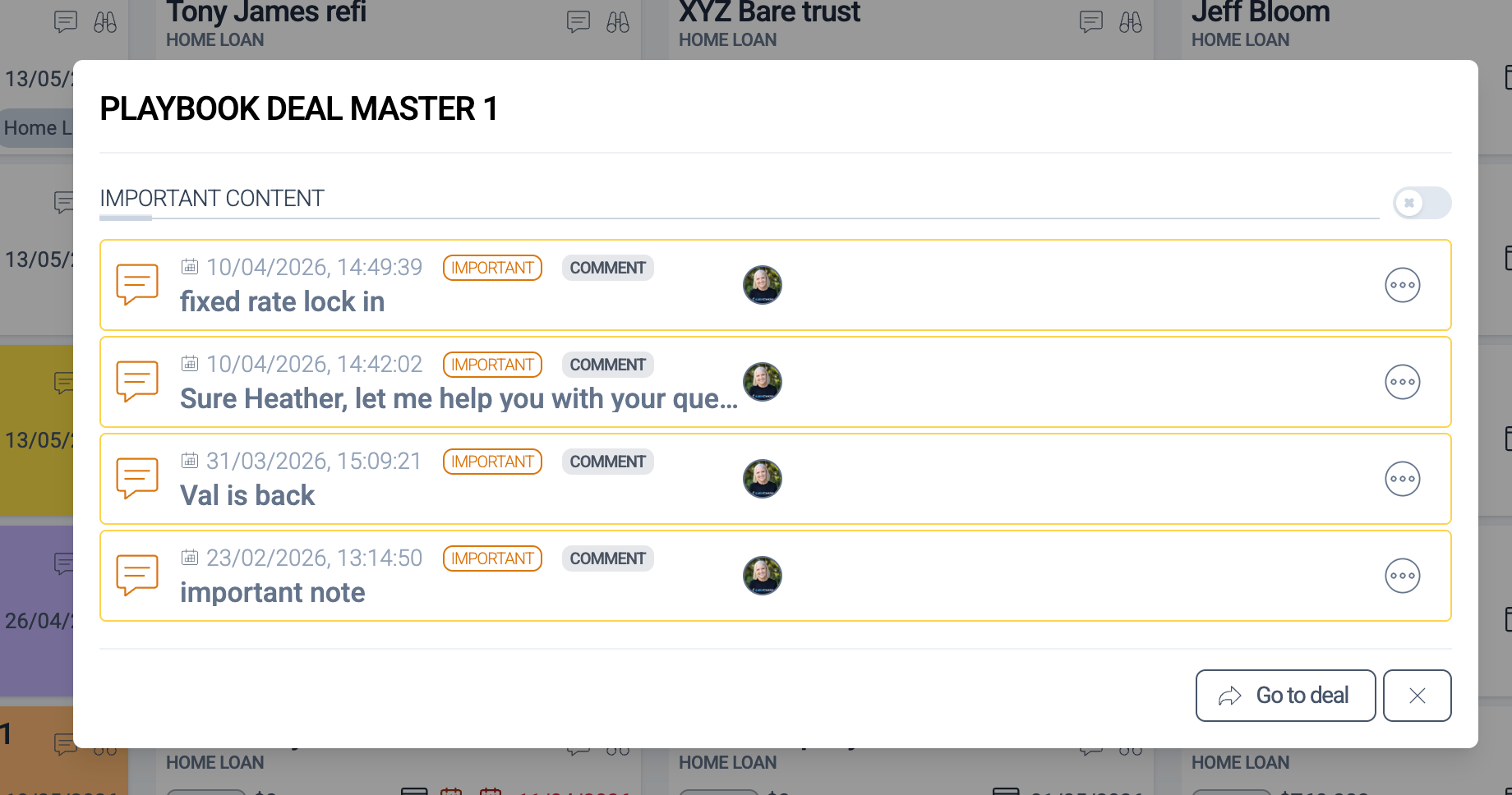
IMPORTANT NOTES PREVIEW
Access important deal notes from the deal tile in the workflow. View, expand and edit important notes from this screen.
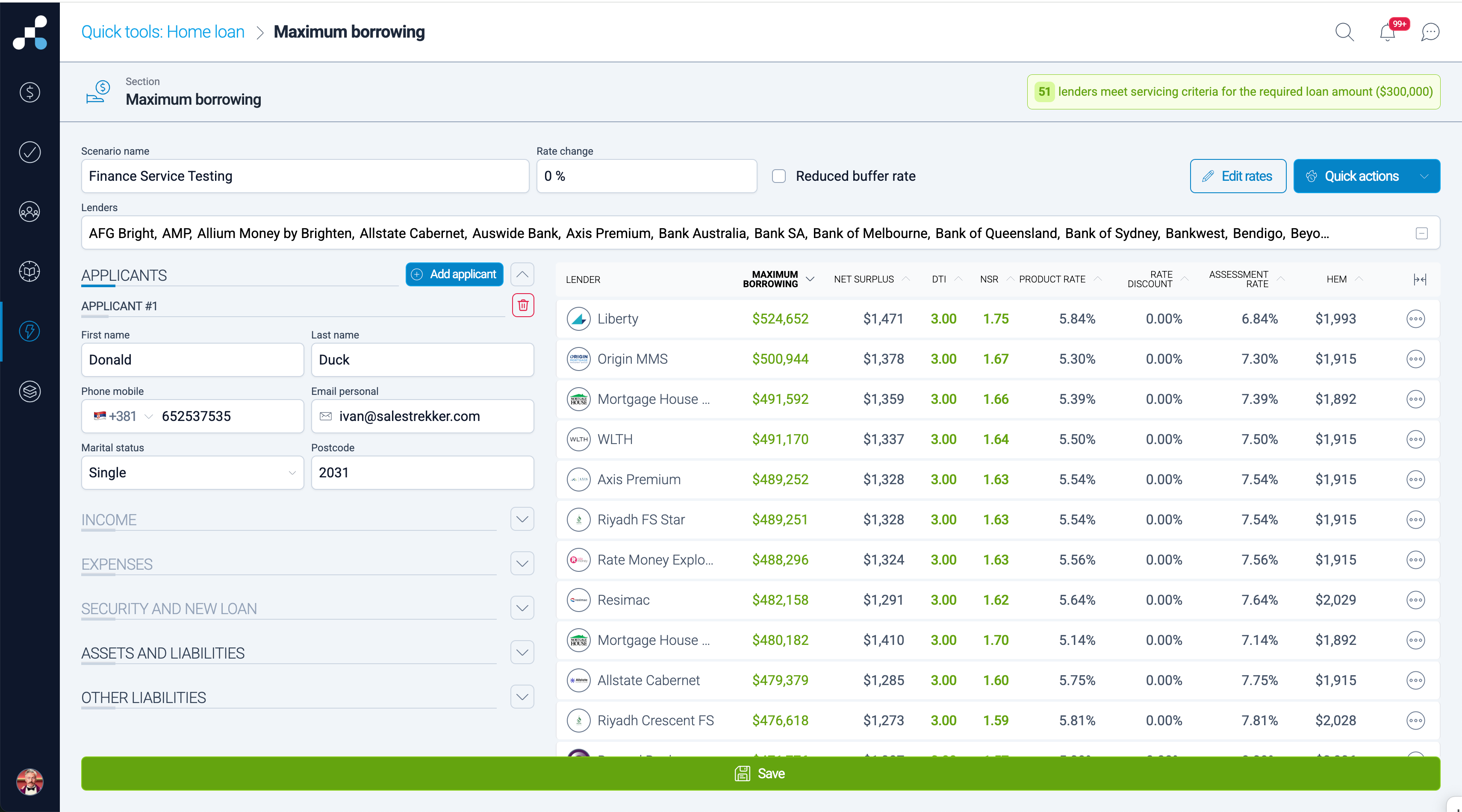
ENHANCED QUICK TOOLS
Rapidly calculate a client’s maximum borrowing power and generate a deal card in seconds, helping you move from enquiry to structure faster.
DOWNLOAD PRE-POPULATED LENDER SERVICING CALCULATORS
Access lender servicing calculators that are already populated with your deal data — available both inside a deal and from Quick Tools — saving time and reducing data re-entry errors.
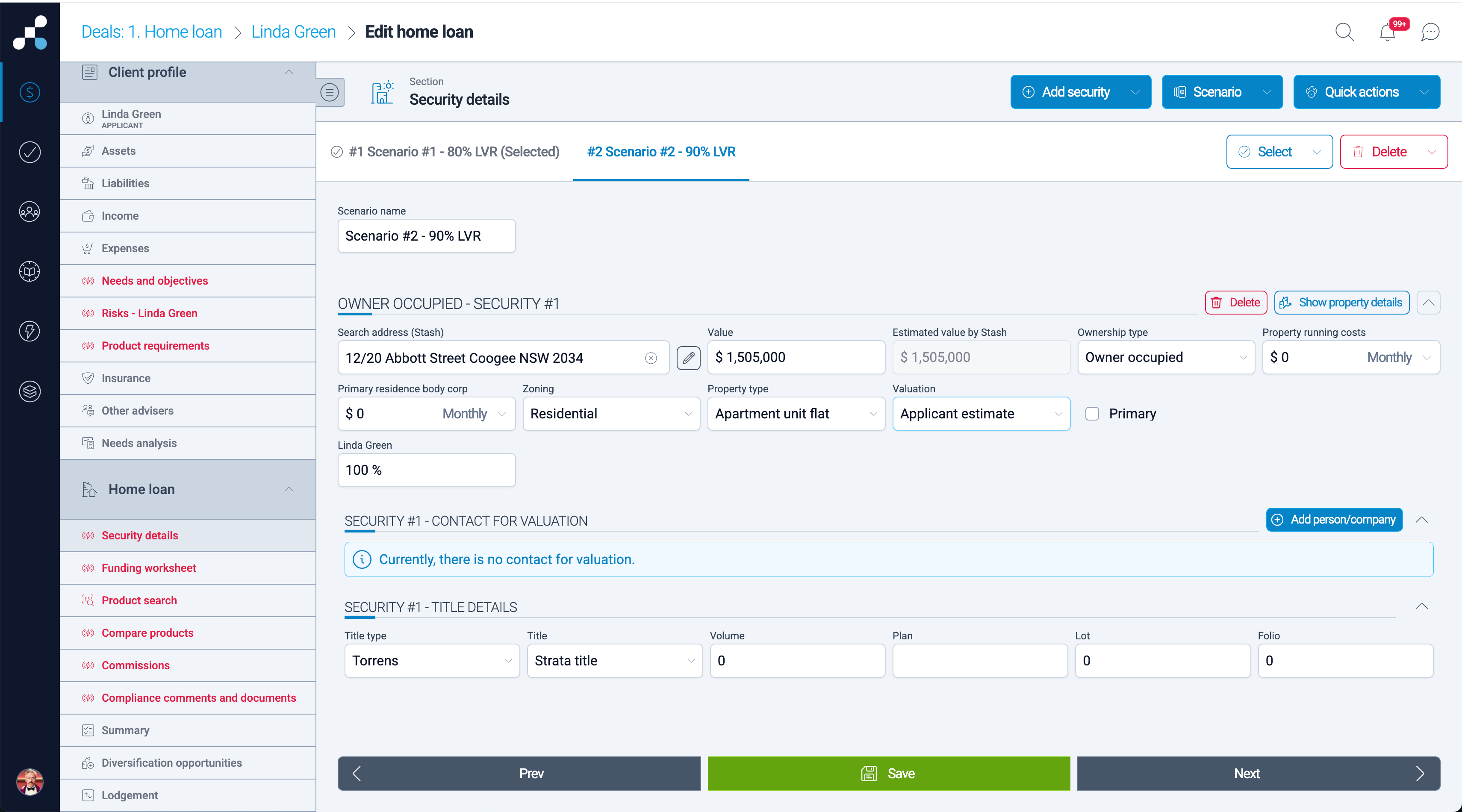
SCENARIOS
Create multiple loan scenarios within a single deal, regardless of deal type. Compare structures, lenders, or strategies without duplicating the entire deal.
SMART AUTOMATIONS
Automatically trigger actions when a deal is created — such as assigning team members, generating compliance documents, or requesting required documents — helping ensure nothing is missed.
CUSTOMISABLE CLIENT PORTAL
Design your client journeys, data and document collection using custom flows, required document lists, video guides at each deal stage and fact find journey pages.
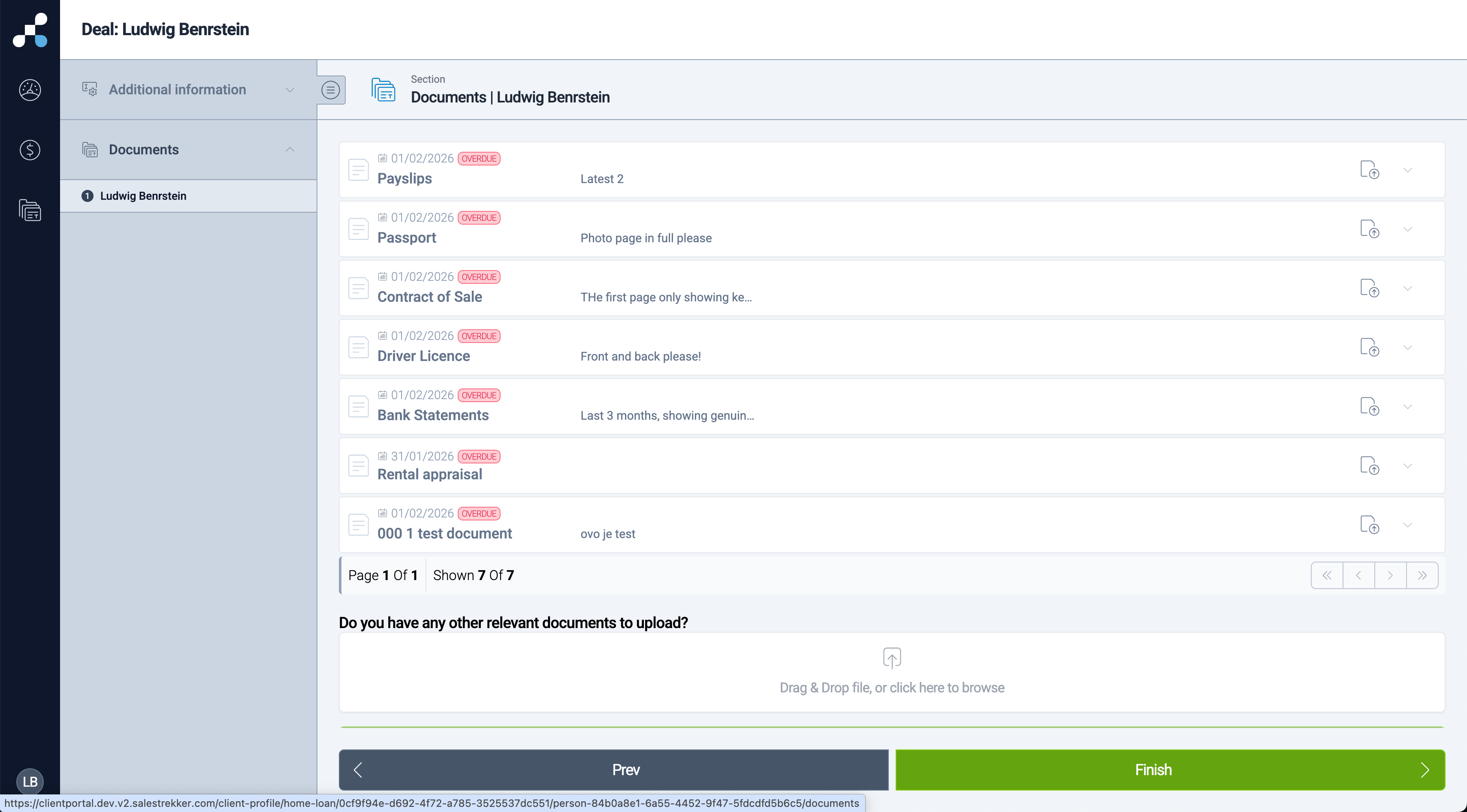
EXPERIENCE 2.0 ON ANY DEVICE
Salestrekker 2.0 was designed to be used on any device, a desktop or a laptop personal computer, small or a large tablet and any type of a smart mobile phone. Brokers can use all features on a mobile device, customers can complete Client Portal and partners log in to the Partner Portal, no matter what device they are using.
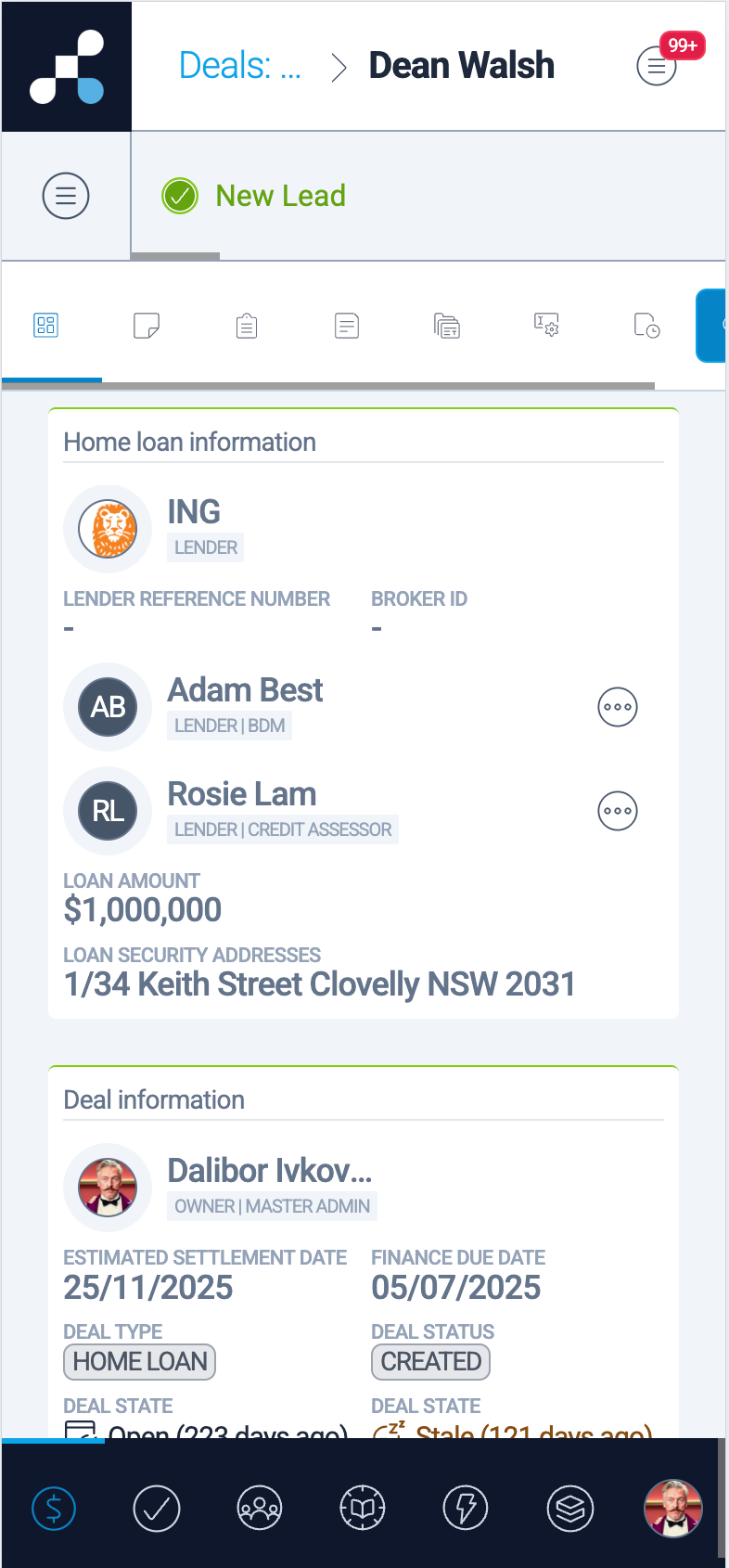
COPY ADDRESS
Any addresses already added to the application form can be copied using the "Copy" button next to the address field.
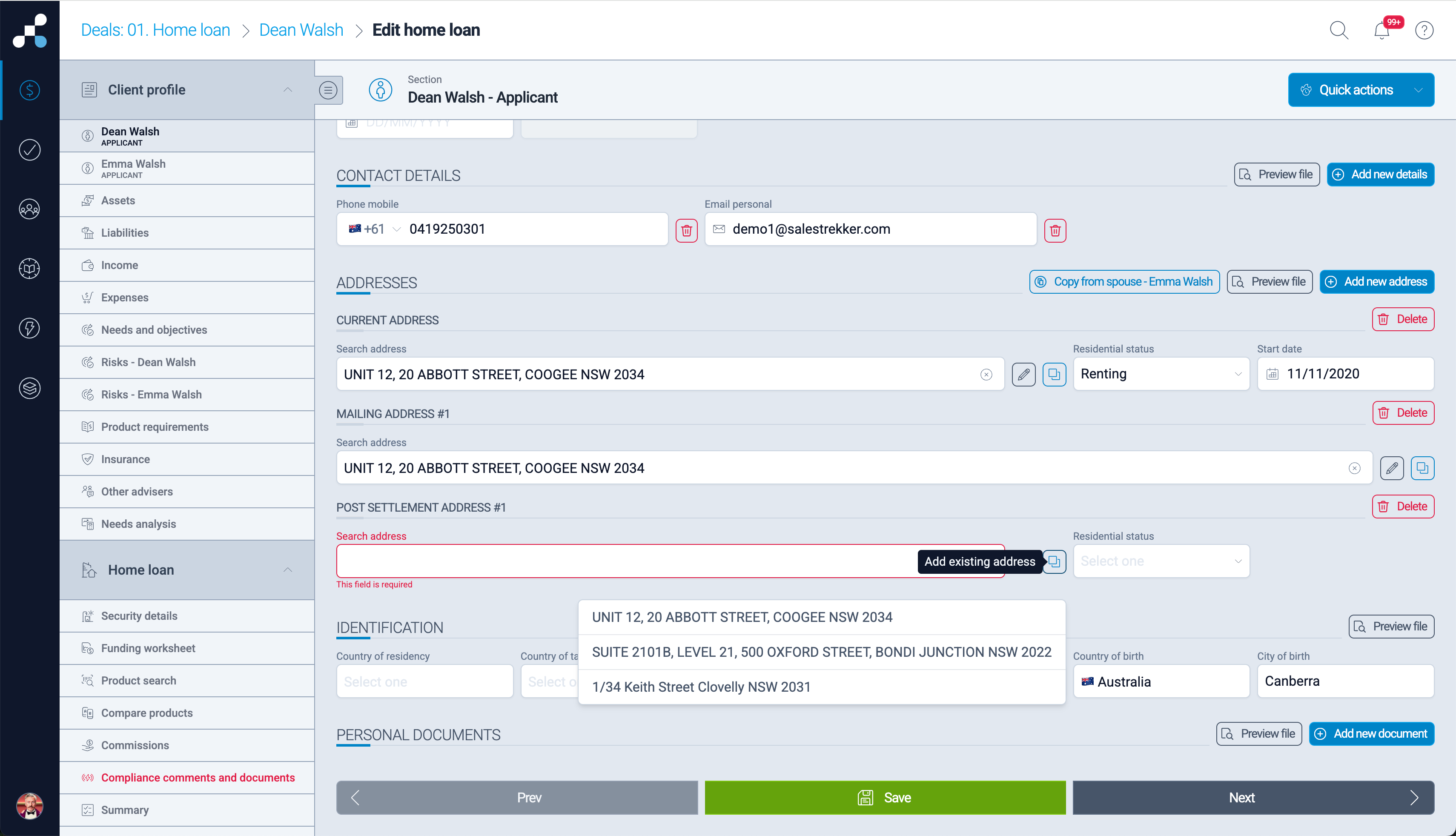
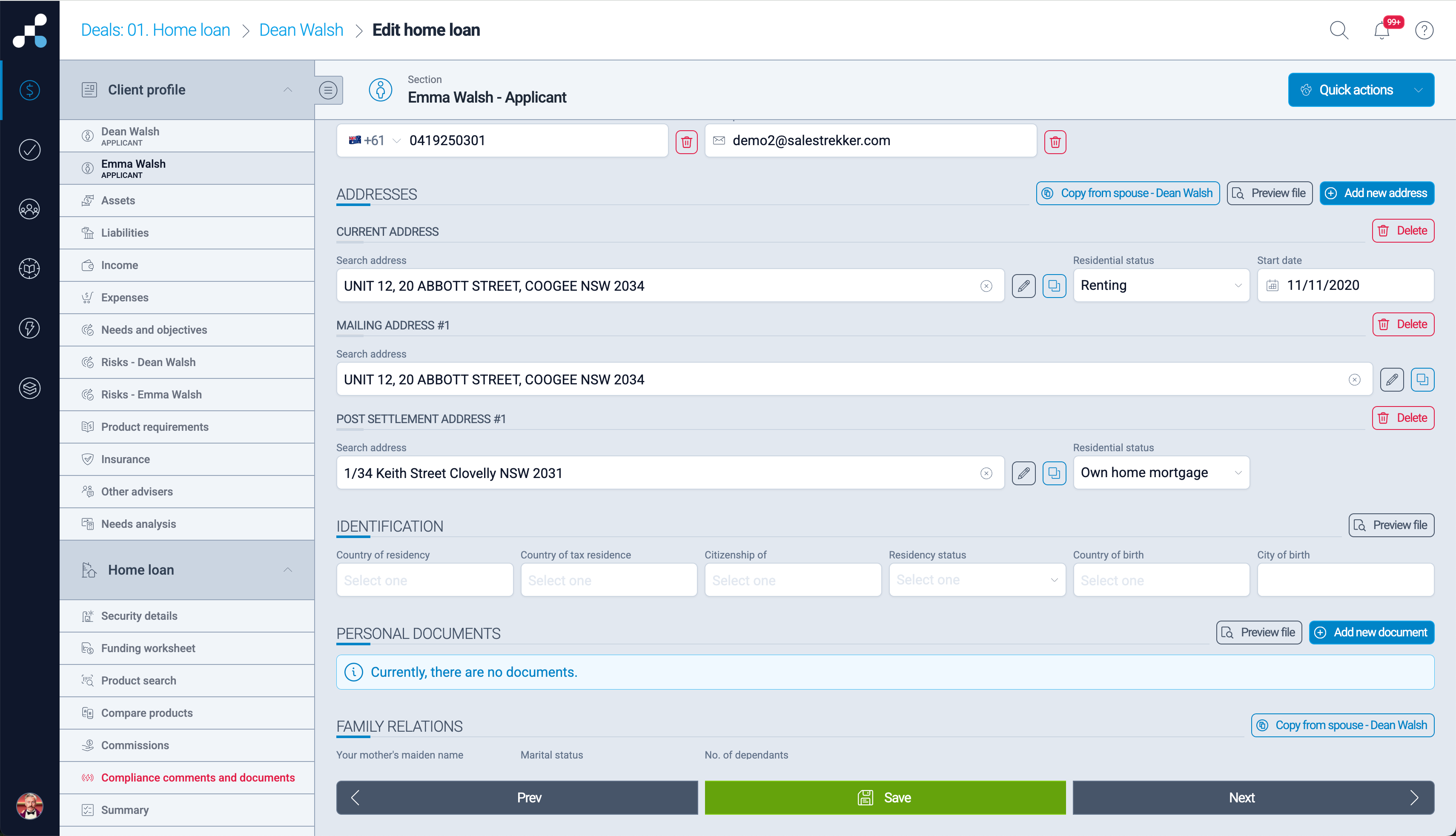
COPY SPOUSE ADDRESSES IN BULK
Spouses (married and de facto) typically have several identical addresses. To save data entry time, we have added a "Copy from spouse" button. This action will copy all current, previous, mailing and post-settlement addresses in an instant.
COPY DEPENDANTS TO OTHER SPOUSE
Similarly, if dependants need to be entered for both spouses, we have added a "Copy from spouse" button here as well.
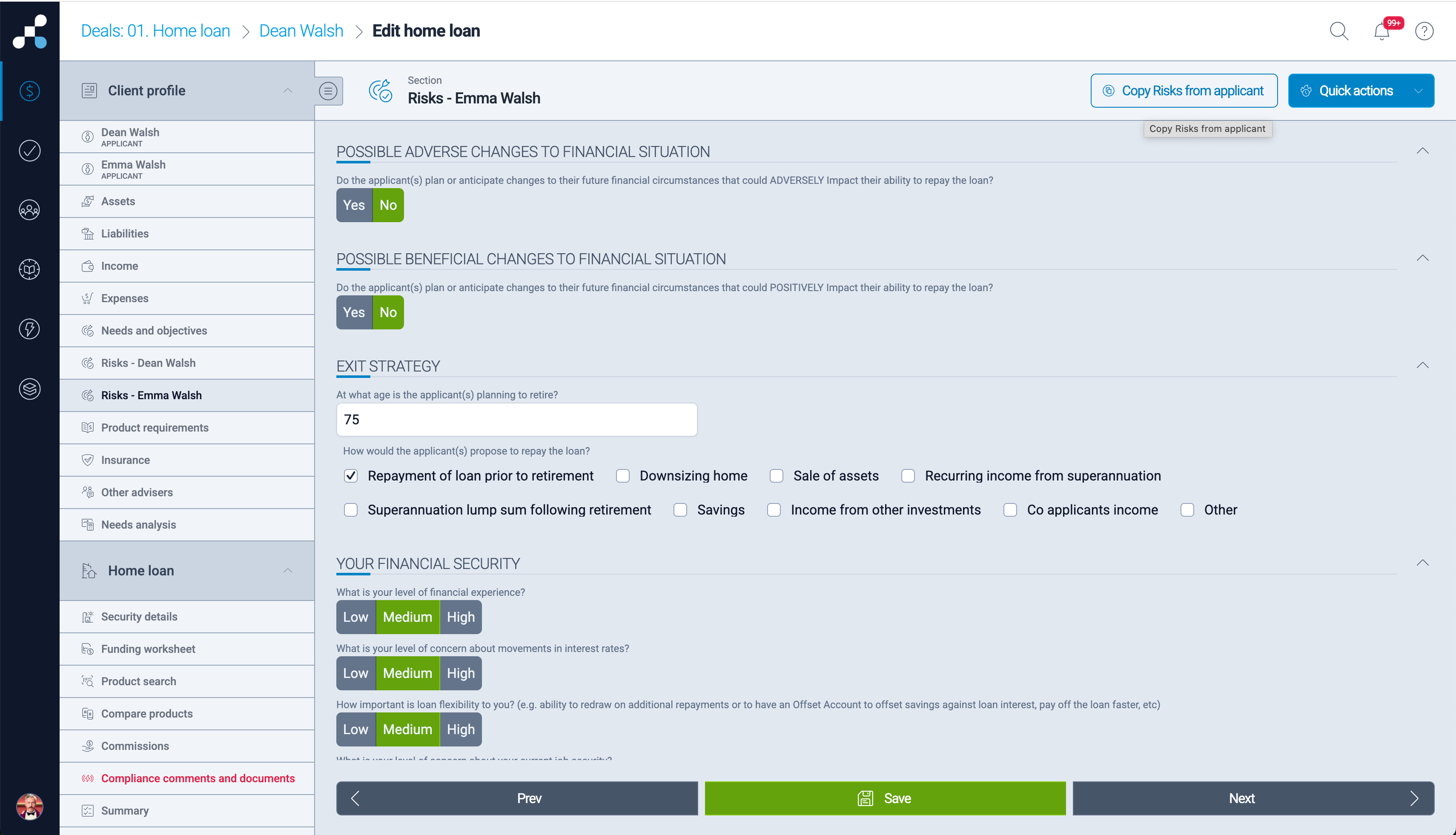
COPY RISK SECTION TO ANOTHER APPLICANT
RIsk section in the application form is specific for each applicant. Typically, risks are the same or very similar for all applicants in the same household. To save data entry time, we have created a button that enables copying one Risk section to other applicants.
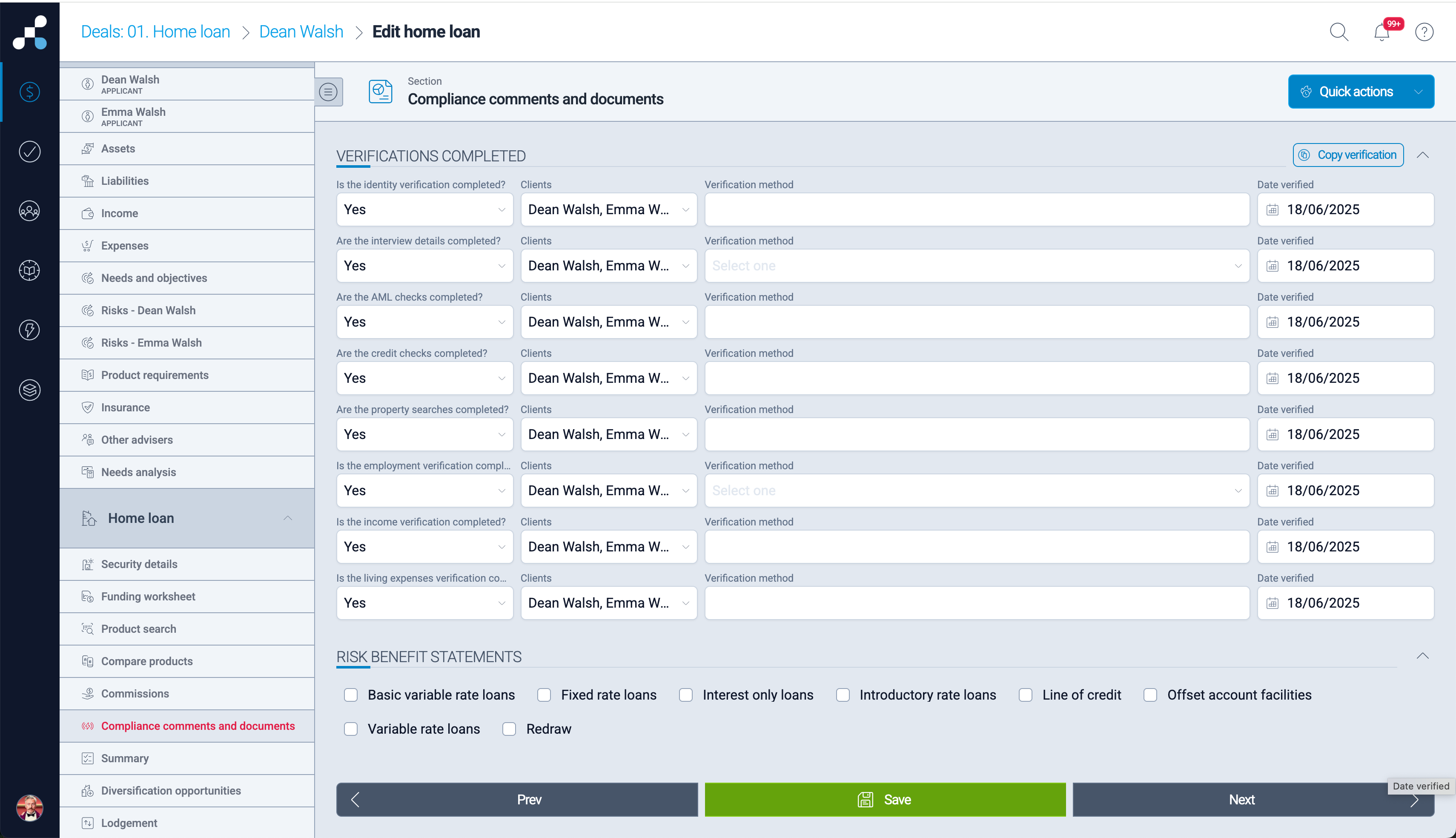
COPY DOWN VERIFICATION DATA
Often, verification of applicants is completed at the same time. We created an option to copy common data from the first verification to all 8 verifications with a click of a button.
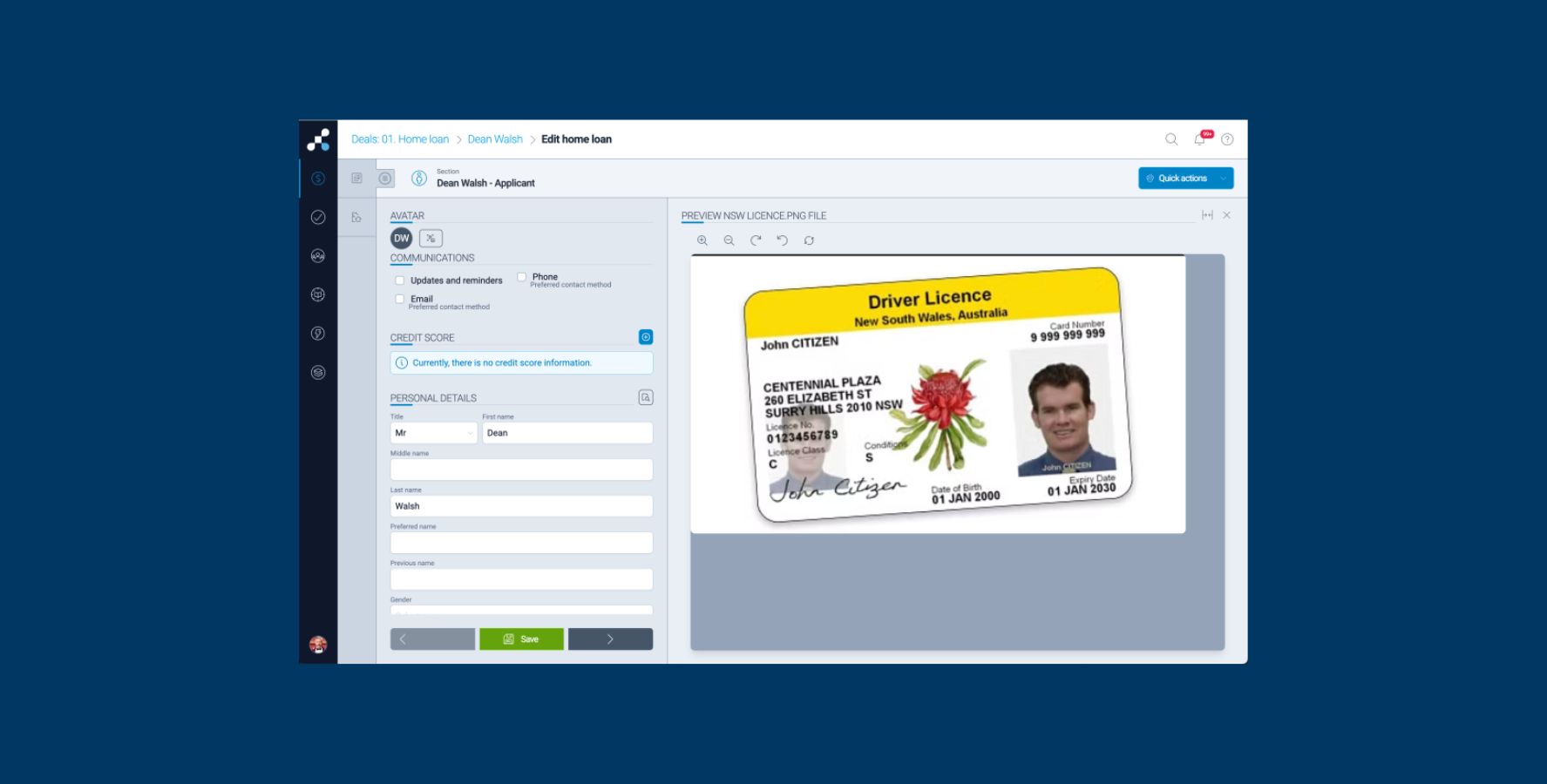
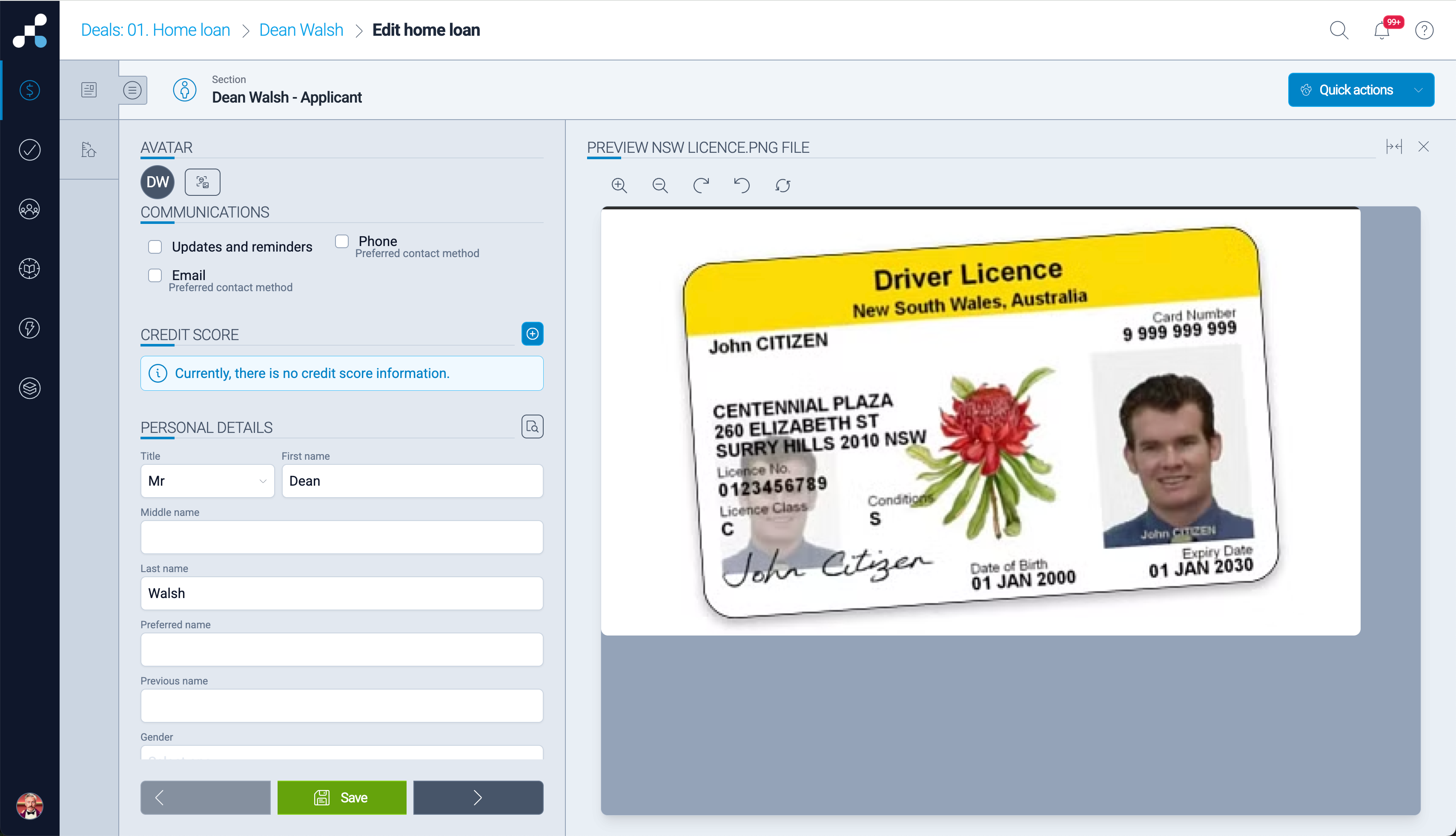
FILE PREVIEW
Once a document is added to the CRM, if labelled it will appear inside the application flow under "Preview file" button. Users can expand the window, zoom and rotate file to view information in it and enter or check data in the relevant application fields. In the near future, some of these files will be automatically read using OCR technology, with data imported in the application form.
EXPENSE PERCENTAGE SPLITTING
In some cases, the second member of the same household is added at the later stage. Automatically split household expenses between applicants based on percentages, simplifying complex household scenarios.
LENDER BDMs
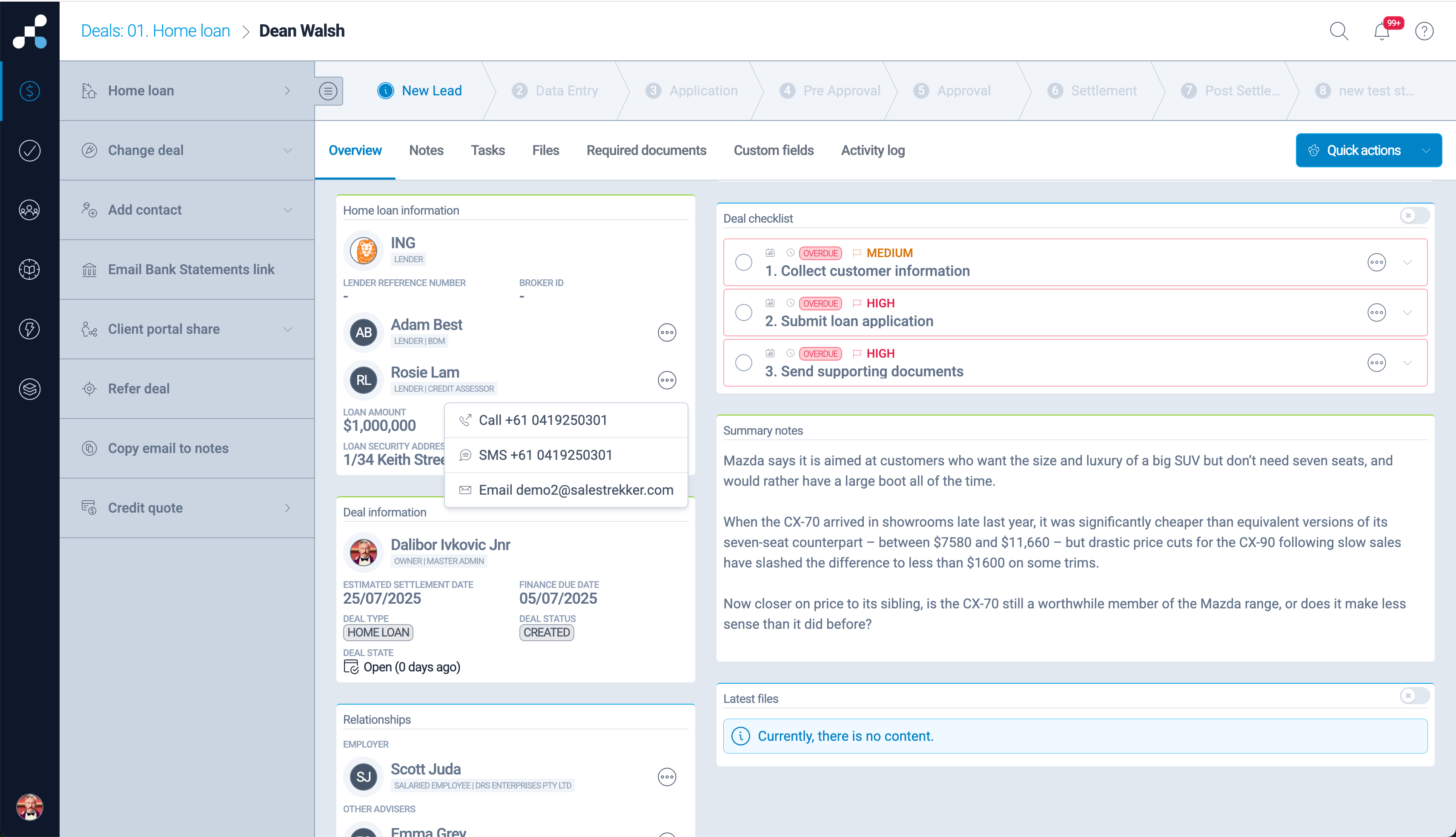
Brokers can now have lender contacts that are frequently communicated with inside their deal card. Simply set up lender contact within the accreditation screen (brokers and aggregators can do this) and they will appear in the home loan details section of the deal. From here, users can communicate with lender BDMs and other staff using their phone number or email. Any communication from within the CRM is recorded in deal notes.
APPLICANT RELATIONSHIPS
Similar to the lender contacts, other advisers, referrers and employer contact now appear on the deal card as well. Easily send an email or SMS from the deal card.
EMAIL TO LENDER SHORTCUT
While in the loan application screens, users can send email to lender using the Quick Action option "Email to lender". Simply select this option, select desired lender, a template, attachments and click send. The record of this email will be saved in deal Notes.
A PLATFORM DESIGNED FOR SPEED
While each feature delivers time savings on its own, the real power of Salestrekker 2.0 is how these tools work together — reducing friction, cutting admin, and giving brokers more time to focus on clients and outcomes.
See some of these new features in this short video.
We are working on a number of other productivity improvements thorough document OCR, better use of data from integrated services and through use of AI technologies. These will be apearing in Salestrekker 2.0 in the coming months.